How to Measure Tree Diameter (BHD/DBH) with Your iPhone
AR-based breast height diameter measurement in the field — accurate to 2–3mm, no tape measure required.
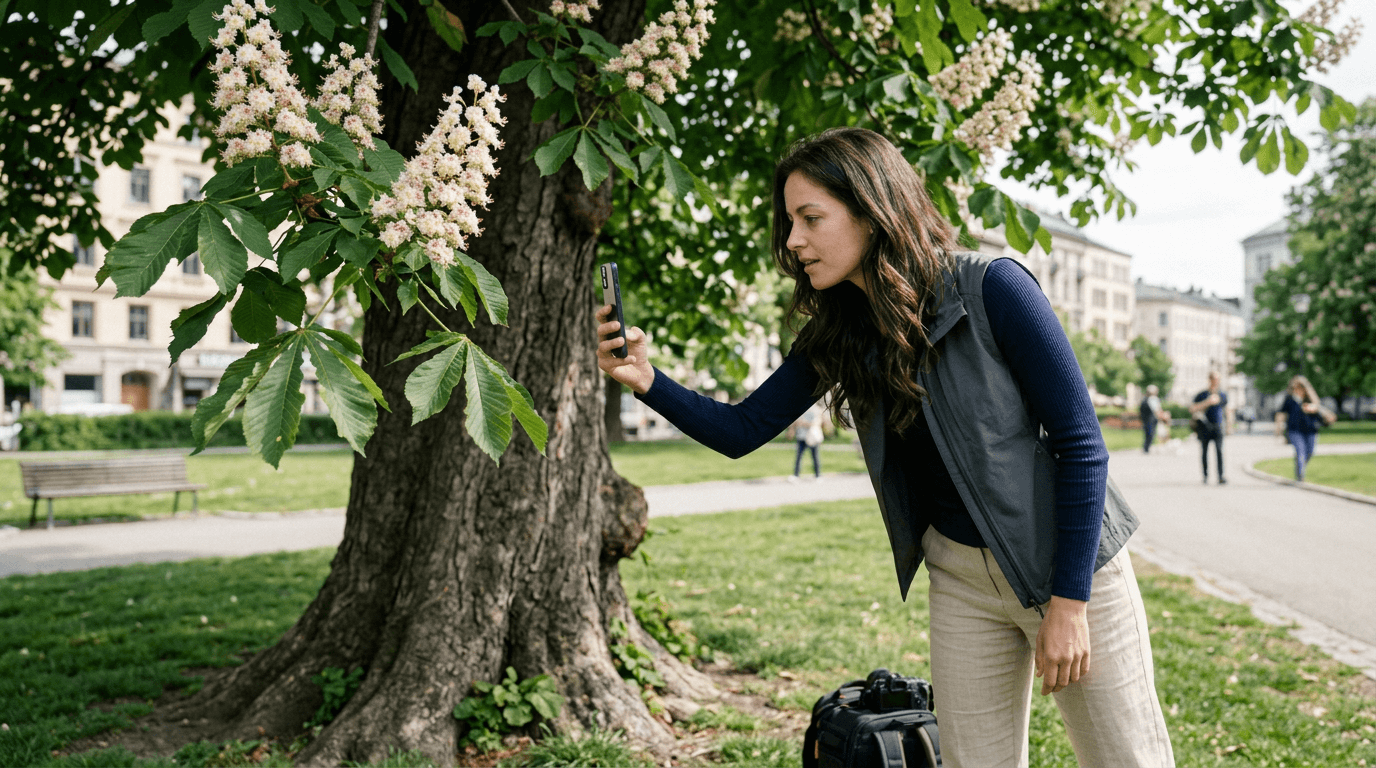
Measuring breast height diameter (BHD in Danish: diameter i brysthøjde, internationally DBH) is one of the most fundamental tasks in arboriculture and urban forestry. Traditionally it requires a diameter tape or calliper — a second piece of equipment to carry, calibrate, and record manually.
With an iPhone running iOS 17 and the Treesable app, you can measure any trunk in seconds using augmented reality — and have the result GPS-tagged and saved to your tree inventory before you move to the next tree.
See it in action
AR BHD measurement using Treesable on iPhone
What you need
iPhone with iOS 17 or later
iPhone 12 Pro or later recommended — LiDAR improves accuracy significantly
Treesable app
Free via Apple TestFlight during early access
A tree to measure
Works on most species; best results on smooth-barked trunks
Step-by-step guide
Stand at the correct measurement height
BHD/DBH is measured at 130cm from the ground — the international standard. In Denmark, some forestry inventories use 100cm (check your project specification). Position yourself so your iPhone camera is level with the measurement point on the trunk.
Open AR BHD Measurement in Treesable
Open Treesable and tap the AR measurement tool. Point your iPhone at the trunk and wait 2–3 seconds for the AR surface detection to initialise. You'll see a visual indicator when the app has locked onto the trunk surface.
Place two AR markers across the trunk
Tap once to place the first marker on the left edge of the trunk at breast height. Tap again to place the second marker on the right edge. Treesable uses ARKit raycasting to calculate the straight-line distance between the two points — your BHD measurement.
Review and save
The diameter appears instantly in centimetres. Treesable also shows you the calculated circumference. Tap Save to log the measurement with automatic GPS coordinates, date, and timestamp. It's added to your tree inventory immediately.
Continue to species ID and eco benefits
From the same screen, tap AI Species ID to photograph the tree and get an identification. Once species is confirmed, Treesable automatically calculates CO₂ storage, O₂ production, water interception, and economic value based on your BHD measurement.
How accurate is iPhone AR tree measurement?
Treesable's AR BHD measurement has been field-tested with Urban Landscape Engineering students at Business Academy Aarhus, Denmark. Results are consistently within 2–3mm of manual calliper measurements for most tree species under normal conditions.
Accuracy is highest on:
- ·Smooth-barked species (beech, hornbeam, cherry)
- ·Trunks with good contrast against the background
- ·iPhones with LiDAR (iPhone 12 Pro and later)
- ·Good natural lighting conditions
For rough-barked species like oak (Quercus robur) or deeply furrowed bark, allow a margin of ±5mm.
Note for Danish arborists (træmåling i Danmark)
Den internationale standard for DBH-måling er 130 cm over jorden. Nogle danske skovbrugsstandarder anvender dog 100 cm (diameter i brysthøjde). Tjek altid projektspecifikationen inden du måler. Treesable registrerer målingshøjden sammen med resultaterne, så du kan dokumentere hvilken standard der er anvendt.
This note is in Danish for Danish-speaking professionals.
Frequently asked questions
Does Treesable work without LiDAR?
Yes — Treesable works on any iPhone running iOS 17. LiDAR (available on iPhone 12 Pro and later) improves depth accuracy, but the camera-based AR measurement works well on all supported devices.
Can I export my tree measurements?
Yes. With Treesable Pro, your GPS-tagged tree inventory can be exported as CSV, JSON, or a PDF report for use in site reports and client documentation. Any user can also request a free copy of their data by emailing hello@treesable.com.
What is the difference between BHD and DBH?
BHD (Brusthöhendurchmesser / diameter i brysthøjde) and DBH (Diameter at Breast Height) refer to the same measurement — trunk diameter at 130cm above ground. BHD is used in Danish and German forestry; DBH is the international English term.
Is Treesable suitable for professional tree inventories?
Treesable is designed for professional use — arborists, urban foresters, landscape firms, and municipalities. It produces GPS-tagged, timestamped records suitable for professional reporting.
Try it yourself
Ready to measure your first tree?
Free early access via TestFlight. iOS 17+ required.
Download on TestFlight →